Quick guide

Below you will find a summary of the steps you need to take in order to play a match using the LEDsGame scoreboard emulator.
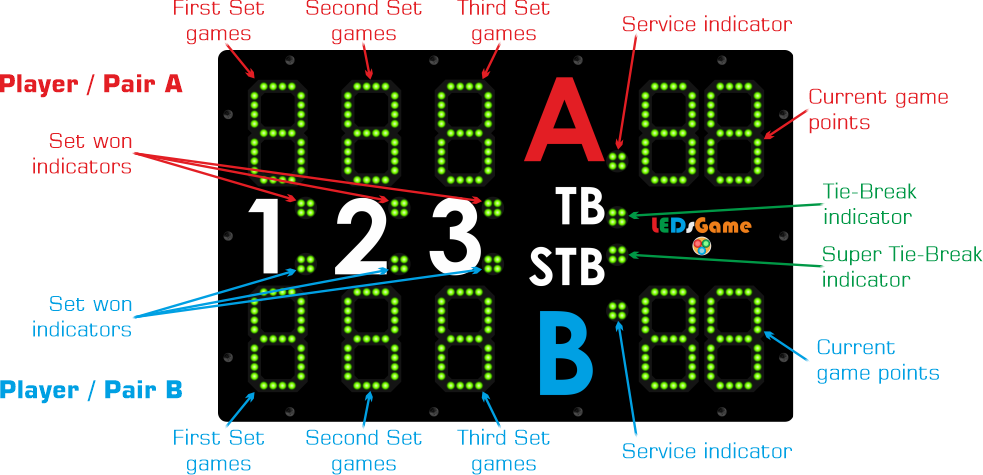
Mobile MTP Emulator screen information
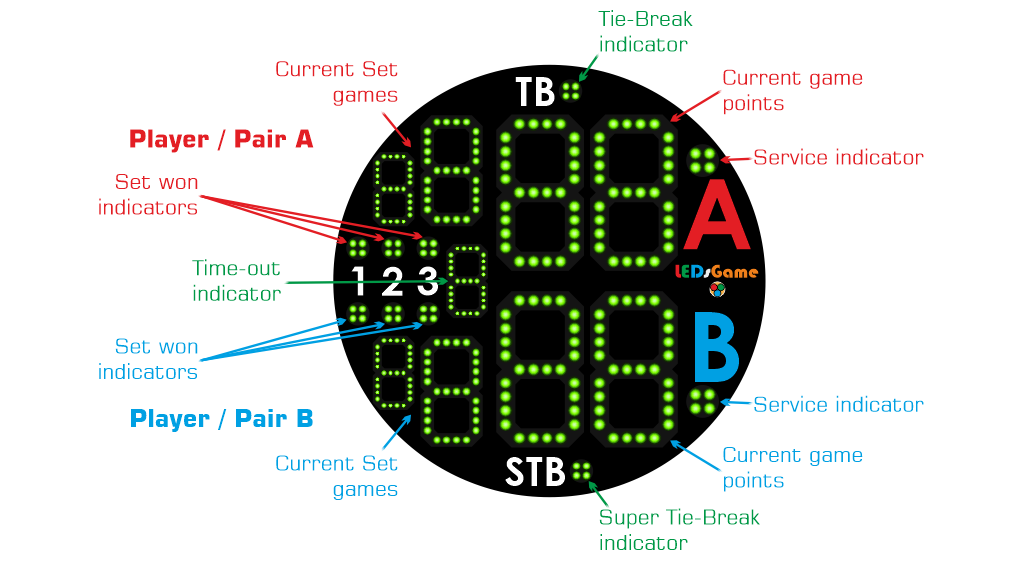
Smartwatch MTP Emulator screen information
Before you start playing
- Connect to a Wi-Fi network
If the connection mode you want to use is Wi-Fi (see Connection modes in the System configuration section of the Help), connect both your mobile and your watch to the same Wi-Fi network.
- Connect the Bluetooth speaker
Connect the speaker to your mobile.
- Select the connection mode
Open the MTP Emulator app on your mobile and watch. Then, execute the Watch connection action (mobile app) and the Connection action (watch app) to select the connection mode between the apps you want to use.
- Connect the apps to each other
Execute the Connect to watch action (mobile app) and the Connect action (watch app) to connect the apps.
Beginning of the match
- Reset the scoreboard
Execute the Reset action to reset the scoreboard to zero.
- Select who serves first
Execute the Initial Serving action or swipe left on the screen to choose the player or pair that will start serving in the match.
- Select the players to keep score for
Execute the Player selection action to choose which players or pairs you will keep score for when you tap on the screen.
During the game
Note: To save power, the MTP Emulator app on the watch will turn the screen black after a few seconds of inactivity and display the message Tap to resume. To execute any action, you must first tap the screen to display the score again.
Note: If the mobile is not yet connected, the MTP Emulator app on the watch will display a flashing red disconnection icon on the screen to indicate that no actions can be executed to change the score.
- Increase the score for player or pair A
Tap the red bordered area on your mobile or watch screen.
- Increase the score for player or pair B
Tap the blue bordered area on your mobile or watch screen.
- Undo last point increment
Swipe left on the mobile or watch screen to undo the last point scored on the scoreboard. Up to the last 10 points scored can be undone. If you are at the beginning of the match (with no points scored), this action will change the player who serves first.
Game options (only at the beginning of a set)
- Change the scoring mode
Execute the Scoring mode action if you want to change how this and following sets are played.
- Change the number of games per set
Execute the Games per set action if you want to change the number of games for this and following sets.
End of the match
- Disconnect the apps
Execute the Disconnect from watch action (mobile app) or the Disconnect action (watch app) to finish the active connection between apps.